An AI agent that answers inbound email is useful right up to the moment it answers the wrong person. HubSpot just shipped the control that decides who counts as the wrong person.
What HubSpot shipped
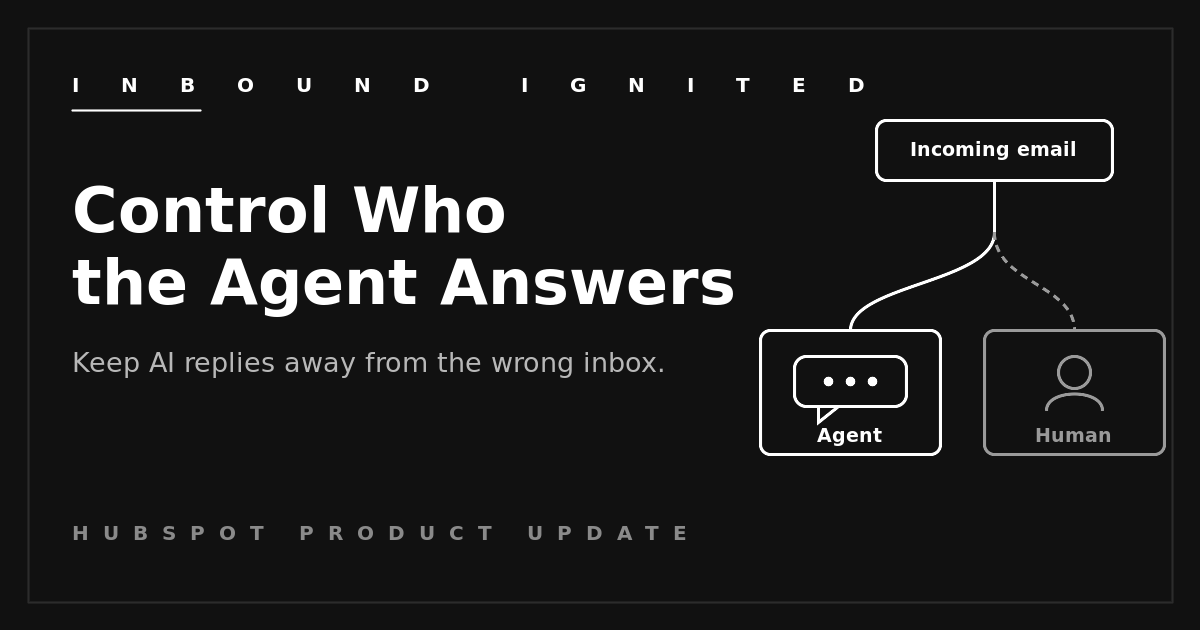
Customer Agent now has a Targeting step on the email channel. In the channel's deployment settings you define who the agent is allowed to engage, using existing HubSpot Lists (active or static) or contact property filters, through two fields: Targets to include and Targets to exclude. Contacts in the excluded criteria route to the human queue or get no automated reply. It runs on the same segmentation HubSpot already uses for live chat, so there is no new list infrastructure to build. The control is now available across all hubs and tiers.
Why this matters
Plenty of inbound questions are safe for an agent to handle: hours, status, where-do-I-find-this. Some are not. When outreach is regulated, certain contacts have to reach a person, and an automated reply to the wrong segment is not a small mistake. HubSpot's own framing for the feature is blunt: let the agent handle your low-risk audiences while it always hands off the high-risk ones. Targeting is how you draw that line, by segment, with lists you already maintain.
This is also where the prove-it rule applies. AI agents read context well most of the time and badly some of the time, and "some of the time" is exactly the case you are trying to control. Scope it tight first, then widen it once you trust what you see.
There is a record-keeping payoff too. When the agent's reach is defined by a named list, you can show exactly which contacts it was cleared to answer and which were held for a person. In a regulated operation, that audit trail is worth more than the hours the agent saves, because it turns "the bot handled it" into a documented, defensible decision.
How to use it
- List the segments that must always reach a human. Be specific: high-value accounts, anyone in an active dispute, any contact tied to a regulated process. Build that as an active list, a static list, or a property filter.
- Define the inverse, the audience the agent is cleared to handle, and start narrow. A clearly safe group beats "everyone except the exclusions."
- In the Customer Agent deployment settings for the email channel, open the Targeting step. Set Targets to include to your safe audience and Targets to exclude to your must-reach-a-human list, then confirm excluded contacts route to the human queue.
- Test both sides. Send from a contact inside the include list and one inside the exclude list, and confirm one gets the agent and one gets a person.
What to watch
Targeting is evaluated at ticket creation. If a contact's segment changes after the ticket opens, the routing does not update mid-thread, so someone who should have been excluded but only qualified after the fact still gets the agent on that ticket. Build your lists with that in mind.
Your routing is only as good as those lists. A stale active list quietly sends the wrong people to the agent. Whoever owns the lists now owns a compliance control, so treat the job that way.
Lean on exclude, not just include. An include list that runs too broad fails open. Pairing a narrow include with an explicit exclude for sensitive segments fails closed, which is the safer default near regulated traffic.
And mind the meter. Customer Agent runs on HubSpot Credits, so a wider include list means more automated replies and more credit draw. Scope is a cost lever as well as a compliance one.
Where to start
Before you point Customer Agent at a live inbox, write down the segments that must never get an automated reply, build that as a list, and test a message from inside and outside it. Get the routing right while the stakes are a test ticket, not a real one. If you want a second set of eyes on the segmentation before it goes live, that is the kind of review Inbound Ignited runs.
 Craig Leabig : Jun 30, 2026 12:45:00 AM